
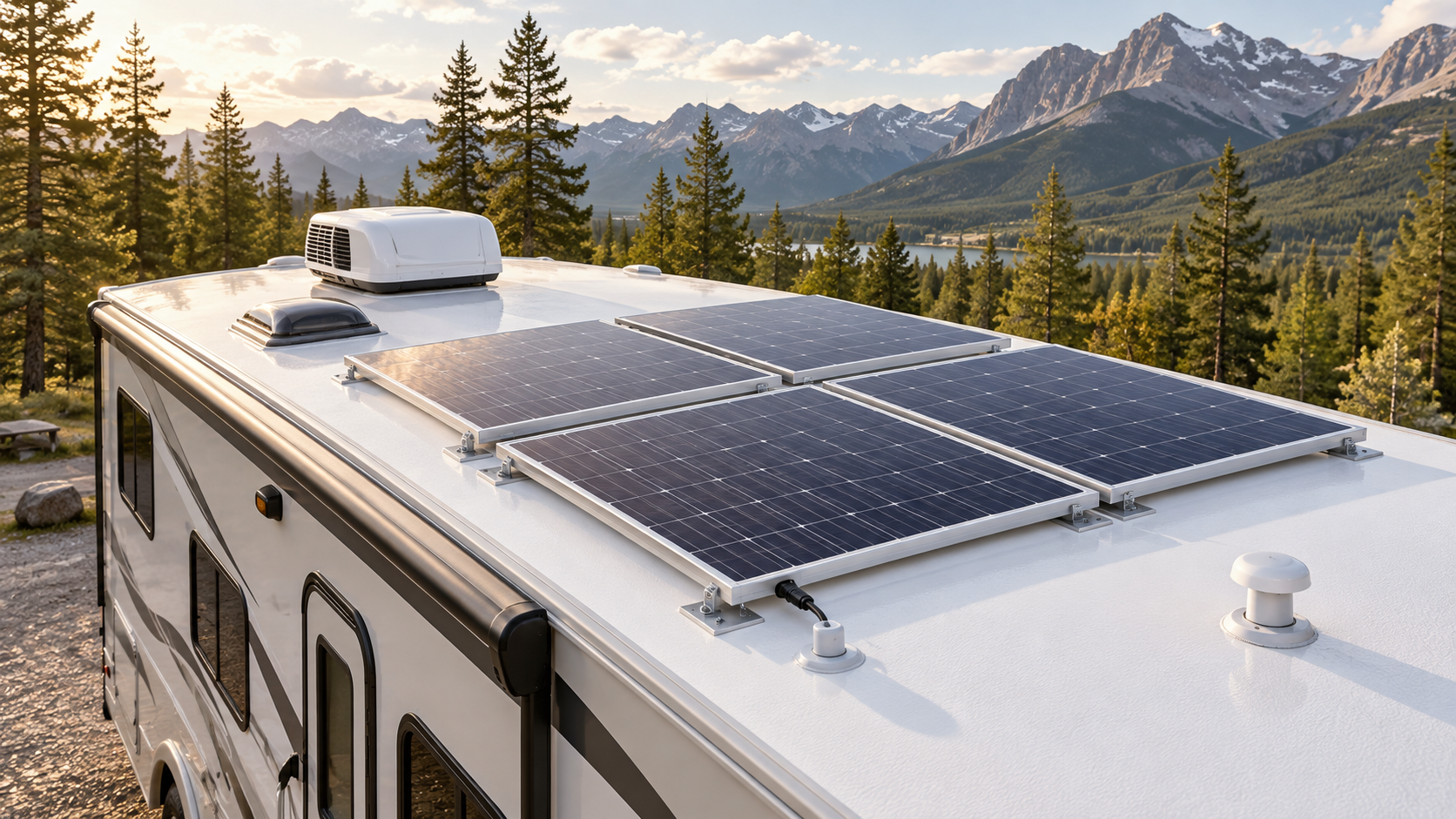
An RV solar charging system can maintain the house batteries, reduce generator use, and provide more flexibility when camping without shore power. However, solar does not create unlimited electricity, and the system must be correctly sized, configured, and maintained.
Poor charging does not always mean a solar panel has failed. Shade, dirt, loose connections, blown fuses, incorrect controller settings, battery condition, weather, and normal changes in sunlight can all affect the amount of energy reaching the batteries.
Understanding the basic path from the solar panels to the battery bank makes troubleshooting much easier.
How an RV Solar Charging System Works
A typical RV solar system contains four main components:
- Solar panels
- Solar charge controller
- House battery bank
- Wiring, fuses, breakers, and disconnects
The solar panels produce DC electricity when exposed to sunlight. That electricity travels to the solar charge controller, which regulates the voltage and current before sending it to the batteries.
The charge controller protects the battery bank from being charged incorrectly. It may move through bulk, absorption, float, and other charging stages depending on its design and the selected battery profile.
The batteries store the energy for later use. The RV’s 12-volt equipment can operate directly from the battery system, while an inverter is required to operate designated 120-volt appliances from battery power.
Solar panels normally charge the batteries. They do not directly operate every appliance in the RV.
Solar Charging Is Not the Same as an Inverter
The solar charge controller and inverter perform different jobs.
A charge controller takes electricity produced by the solar panels and regulates it for battery charging.
An inverter takes DC electricity stored in the batteries and converts it into 120-volt AC electricity for compatible outlets and appliances.
An inverter can consume a significant amount of battery power when operating large loads. A modest solar array may replace some of that energy, but it may not keep up with air conditioners, electric heaters, microwaves, residential refrigerators, or other high-demand equipment.
If the batteries are losing charge while the inverter is operating, the solar system may be working normally but producing less energy than the RV is consuming. For more on how these devices differ, see our RV Converter vs Inverter guide.
PWM and MPPT Charge Controllers
RV solar systems commonly use either a PWM or MPPT charge controller.
PWM charge controllers
A pulse-width modulation controller is generally simpler and less expensive. It works best when the solar-panel voltage is properly matched to the battery system.
PWM controllers can perform reliably in smaller systems, but they may not recover as much available panel power under certain conditions.
MPPT charge controllers
A maximum power point tracking controller adjusts its operation to collect available power from the solar array and convert it to the voltage needed by the batteries.
MPPT controllers are common in larger systems and installations where panels are wired at a higher voltage. They may provide better performance in changing light, cooler weather, or systems with a greater difference between panel and battery voltage.
The controller must still be correctly rated for the array’s maximum voltage and current. Adding panels without checking those limits can damage the controller.
Understand the Controller Display
Depending on the equipment, a solar controller or monitoring application may show:
- Solar-panel voltage
- Solar-panel current
- Charging current
- Battery voltage
- Charging stage
- Daily energy production
- Controller temperature
- Battery temperature
- Historical charging data
- Warning or error codes
Do not judge the system from one number without considering the conditions.
A low charging-current reading may be normal if:
- The batteries are nearly full
- The controller has entered absorption or float mode
- The RV is parked in shade
- The sun is low
- Clouds are passing over the panels
- The panels are hot
- The battery-management system is limiting charging
- The battery is too cold to accept a charge
- Electrical loads are using the solar production
Check the controller manual to learn exactly what each symbol, light, and code means.
Why Solar Output Changes During the Day
The wattage printed on a solar panel represents performance under specified test conditions. A panel will not continuously produce its full rating during normal RV use.
Actual output changes with:
- Time of day
- Season
- Latitude
- Cloud cover
- Panel angle
- Shade
- Panel temperature
- Dirt and debris
- Battery state of charge
- Controller efficiency
- Wiring losses
Output normally increases as sunlight becomes stronger and falls again later in the day. The strongest production often occurs around midday when the panels receive direct sunlight.
Comparing early-morning production with a panel’s advertised rating can make a properly operating system appear defective.
Partial Shade Can Cause a Large Reduction
Even a small shadow can significantly reduce solar production.
Air conditioners, roof vents, antennas, satellite equipment, trees, neighbouring RVs, and buildings can cast shadows across a panel. The effect depends on the panel construction and how the array is wired.
Inspect the entire roof area at different times of day. A panel that receives full sunlight in the morning may be shaded later as the sun moves.
When possible, park where the solar panels receive unobstructed sunlight. Portable panels can sometimes be repositioned, but they must be secured and connected according to their instructions.
Inspect and Clean the Solar Panels
Dust, pollen, leaves, bird droppings, snow, and other debris can reduce the amount of sunlight reaching the cells.
Inspect the panels periodically and before relying heavily on solar charging. Look for:
- Heavy dirt or debris
- Cracked glass
- Damaged panel frames
- Loose mounting hardware
- Lifted brackets
- Damaged roof sealant
- Pinched or deteriorated wiring
- Loose cable glands
- Water intrusion around roof penetrations
- Connectors exposed to damage
Clean panels according to the panel manufacturer’s instructions. Use suitable water, cleaning materials, and tools that will not scratch the surface or damage protective coatings.
Do not step or kneel on a solar panel. Follow safe roof-access practices and do not climb onto a wet, icy, damaged, or unsupported RV roof.
Check Whether the Batteries Are Charging
Begin by establishing the battery condition before relying on the controller display.
If the batteries are partly discharged and the panels are exposed to strong sunlight, the controller should normally indicate that charging is taking place.
Check:
- Battery voltage before solar charging begins
- Solar-panel or photovoltaic input shown by the controller
- Charging current flowing toward the batteries
- Battery voltage after the system has charged for a period
- The controller’s charging stage
- Any active warning or error code
Voltage alone does not provide a complete battery-health test. A damaged or worn battery may reach an apparently normal voltage and then drop rapidly under load.
If the controller shows charging but the batteries never retain energy, the problem may be in the batteries rather than the solar array. For more on battery testing and care, see our RV Battery Maintenance guide.
Solar Controller Has No Display or Power
Many solar charge controllers receive their operating power from the battery bank rather than directly from the panels.
If the controller is completely blank, check:
- Battery state of charge
- Battery disconnect position
- Controller-to-battery fuse
- Resettable circuit breaker
- Battery-cable connections
- Controller ground connection
- Battery-management-system status
- Inline connectors
- Signs of overheating or corrosion
A controller may remain off if the battery voltage is extremely low or if a lithium battery’s internal battery-management system has disconnected the cells.
Do not bypass a fuse or breaker to restore the display. Determine why power is not reaching the controller.
Controller Has Power but Shows No Solar Input
If the controller operates but shows no panel voltage or charging current during good sunlight, inspect the solar side of the system.
Possible causes include:
- Solar disconnect switched off
- Blown panel-side fuse
- Tripped circuit breaker
- Loose connector
- Damaged roof wiring
- Incorrect connector assembly
- Failed panel
- Open circuit in a panel string
- Reversed polarity
- Input voltage outside the controller’s permitted range
- Heavy shade
- Snow covering the panels
Some controllers will not begin charging until they detect a valid battery connection and sufficient panel voltage. Follow the manufacturer’s diagnostic procedure rather than disconnecting cables in a random order.
Solar panels can produce voltage whenever light reaches them, even when the controller appears off.
Solar Input Is Present but the Batteries Are Not Charging
If the controller detects the panels but little or no current reaches the batteries, check the charging conditions.
The batteries may already be full, placing the controller in float or maintenance mode. Confirm the charging stage before assuming there is a fault.
Other possible causes include:
- Incorrect battery profile
- Battery temperature outside the permitted charging range
- Failed battery fuse
- Loose battery connection
- Excessive cable resistance
- Controller output disabled
- Battery-management system blocking charging
- Damaged battery
- Controller temperature protection
- Charging voltage set incorrectly
- Another charging source affecting the controller’s readings
Lithium batteries commonly prevent charging when the cells are below their permitted temperature unless the battery includes an approved heating system. Do not override low-temperature protection.
Check the Battery-Type Setting
The charge controller must use settings appropriate for the installed battery bank.
Common battery selections include:
- Flooded lead-acid
- AGM
- Gel
- Lithium iron phosphate
- User-defined profile
These battery types do not necessarily use the same absorption voltage, float voltage, charging duration, temperature compensation, or low-temperature protection.
Do not select a lithium profile merely because the batteries are labelled lithium. Confirm the battery chemistry and use the charging specifications supplied by the battery manufacturer.
An incorrect profile may result in undercharging, overcharging, reduced battery life, or battery-management-system shutdowns.
If the controller allows a custom profile, change those values only when you have the correct specifications for the battery bank.
Inspect Fuses, Breakers, and Disconnects
An RV solar system may include protection and isolation devices between:
- Panels and charge controller
- Charge controller and batteries
- Batteries and inverter
- Batteries and 12-volt distribution panel
Inspect accessible devices for:
- Blown fuses
- Tripped breakers
- Loose terminals
- Heat damage
- Discolouration
- Corrosion
- Cracked housings
- Undersized replacement components
A breaker that repeatedly trips or a fuse that repeatedly opens indicates a problem. Do not install a larger fuse or breaker to stop the interruption.
The protective device must match the conductor size, equipment rating, and system design.
Look for Loose or Overheated Connections
Loose electrical connections create resistance. Resistance can reduce charging performance and generate heat.
With the system shut down according to the manufacturer’s instructions, inspect accessible connections for:
- Loose cable lugs
- Discoloured insulation
- Melted connector housings
- Burnt smells
- Corrosion
- Damaged cable strands
- Improperly crimped terminals
- Cables rubbing against sharp metal
Do not tighten a terminal without knowing its specified torque. Overtightening can damage the controller, fuse holder, battery terminal, or bus bar.
If a connection has overheated, replacing only the fuse or tightening the terminal may not correct all the damage. The cable and connected equipment should be inspected.
Solar Connectors Require Care
Roof-mounted solar panels commonly use weather-resistant locking connectors. Connectors that look similar are not always compatible. For help identifying specific problems, see our RV Troubleshooting guides. For more industry safety guidance, see the RV Safety & Education Foundation.
Poorly matched or incorrectly crimped connectors can create resistance, water entry, and overheating.
Do not pull connectors apart while the array is producing current unless the equipment manufacturer provides an approved procedure. Disconnecting a loaded DC circuit can produce an electrical arc.
Have damaged connectors replaced with compatible components and the correct crimping equipment.
Use a Multimeter Safely
A digital multimeter can help verify battery and controller voltage, but only when used correctly.
Before testing:
- Select the correct DC voltage setting
- Confirm the leads are in the proper meter ports
- Understand the expected voltage range
- Keep probes from bridging adjacent terminals
- Remove metal jewellery
- Use insulated tools where appropriate
- Follow the equipment manufacturer’s procedure
Never place a multimeter configured for current measurement directly across a battery, panel, or power source. Doing so can create a short circuit and damage the meter or cause an injury.
Testing solar-array current, high-voltage panel strings, or energized wiring may require specialized equipment and training.
Safe Solar Shutdown Procedures
There is no single shutdown sequence that applies to every RV solar system.
Some charge-controller manufacturers require the solar input to be disconnected before the battery connection. Others specify particular steps for shutdown, restarting, or servicing.
The RV may also contain:
- Multiple charge controllers
- Alternator charging
- A converter or inverter/charger
- Portable solar panels
- Battery heaters
- Automatic transfer equipment
- Lithium battery controls
- Generator charging
Follow the instructions for the complete installed system.
Do not assume that turning off the RV battery disconnect removes solar power. The charge controller or panels may be wired directly to the battery bank.
Common Solar-Charging Problems
Charging is weaker than expected
Check sunlight, shading, panel cleanliness, battery state of charge, controller temperature, wiring losses, and electrical loads.
Charging stops in the afternoon
Look for shadows from roof equipment, nearby trees, buildings, or other RVs. Also check whether the batteries have reached the controller’s float stage.
The controller reports high voltage
Stop and check the system instructions. Possible causes include incorrect settings, a disconnected battery, controller failure, charging-source interaction, or an array voltage above the controller’s rating.
The controller reports low battery voltage
Reduce unnecessary loads and confirm that the batteries are receiving charge. Inspect the battery condition, connections, fuses, and disconnect switches.
The controller becomes hot
Some warmth can be normal, but restricted ventilation, excessive current, loose connections, or an undersized controller can cause overheating. Do not cover the controller or store items against its cooling surfaces.
Solar works only when connected to shore power
The display may be receiving power through another part of the electrical system, or the battery connection may be open. Check the battery fuse, disconnect, wiring, and controller power source.
Batteries charge but lose power overnight
Solar production stops after sunset while RV loads continue operating. Test for excessive overnight consumption or parasitic drain and confirm that the battery bank has enough usable capacity.
RV Solar Inspection Checklist
Inspect the system periodically and before an extended off-grid trip.
Confirm that:
- Panels are clean and undamaged
- Mounting brackets remain secure
- Roof sealant shows no gaps or deterioration
- Wiring is protected from sharp edges and movement
- Cable glands remain sealed
- Connectors are secure and undamaged
- Fuses and breakers show no heat damage
- Battery terminals are clean and tight
- The controller uses the correct battery profile
- The controller receives panel input in sunlight
- Charging voltage and current are reasonable for the conditions
- No warning or error codes are active
- The inverter is not creating an unexpected load
- Batteries hold a charge after the sun goes down
Record typical charging performance under similar conditions. A consistent change from those readings may help identify a developing problem.
When to Call a Professional
Arrange professional service if you find:
- Burnt or melted wiring
- Overheated terminals
- Cracked solar panels
- Damaged roof penetrations
- Repeatedly blown fuses
- Breakers that continue to trip
- Incorrect or unidentified wiring
- Panel voltage above the controller rating
- Severe battery corrosion
- Swollen, leaking, or unusually hot batteries
- An electrical smell
- Evidence of arcing
- Unexplained charging-voltage problems
- A controller that repeatedly shuts down
Roof-mounted panels and battery banks present different hazards. A solar array can remain energized in daylight, while a battery bank can release extremely high current through a short circuit.
Do not bypass protective devices or experiment with unfamiliar wiring.
RV Solar Charging System: Key Takeaways
An RV solar charging system works best when the panels receive clear sunlight, the charge controller is correctly matched and configured, and the batteries remain in good condition.
When charging performance drops, start with the conditions you can see: sunlight, shadows, dirt, controller status, battery voltage, fuses, breakers, and accessible connections. Avoid changing settings or replacing parts until you understand what the system is reporting.
Solar power can extend the time an RV operates away from shore power, but available energy remains limited by sunlight, battery capacity, system size, and electrical demand. Monitoring both charging and consumption provides a far more useful picture than watching solar output alone.